Import Axis Bank Excel statement directly to Tally using Synergy Automation. Step-by-step guide with common ledger mappings.
How to Download Axis Bank Statement as Excel
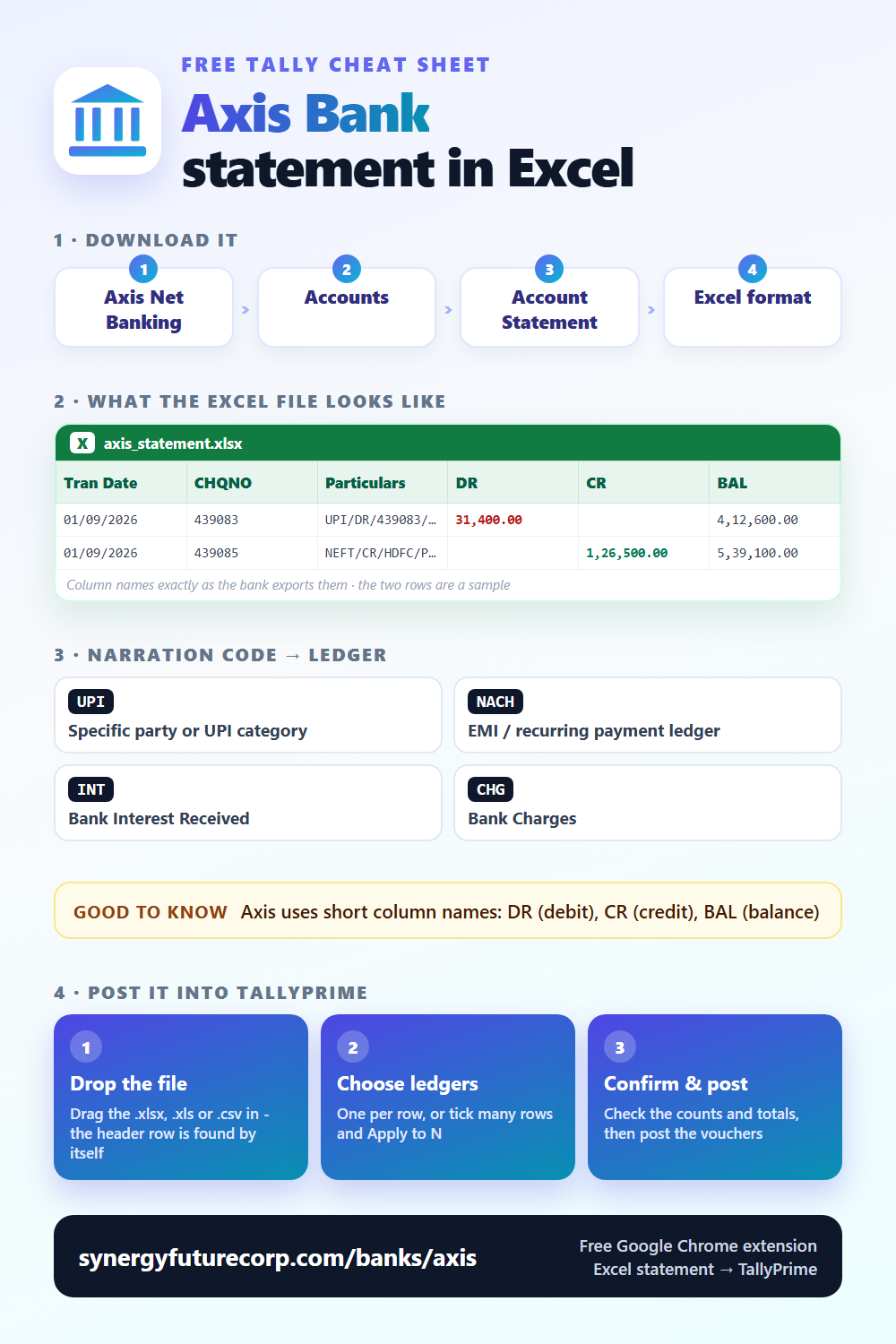
Where to find it: Axis Net Banking → Accounts → Account Statement → Excel format
File format: Axis Bank exports as .xlsx. Columns: Tran Date, CHQNO, Particulars, DR, CR, BAL.
<a href="https://synergyfuturecorp.com/banks/axis"><img src="https://synergyfuturecorp.com/infographics/free/bank-axis-free.png" alt="Axis Bank statement Excel columns - cheat sheet" width="500"></a>Step-by-Step: Axis Bank Statement to Tally
- Download your Axis Bank statement
Go to Axis Net Banking → Accounts → Account Statement → Excel format. Select your date range and download as Excel (.xlsx or .xls). - Open Synergy Automation
Make sure Tally is open with the correct company. Make sure the Synergy Connector is running on the same PC. - Upload the Excel file
Drag and drop your Axis Bank Excel file into Synergy Automation. The system auto-detects the format. You will see all transactions parsed and listed. - Review every entry
Check narrations, amounts, dates. Assign Tally ledger accounts. Skip any entries you do not want in Tally. - Post to Tally
Click Post. Entries appear instantly in your open Tally company as bank payment and receipt vouchers. No XML, no file, no import dialog.
Axis Bank-Specific Notes
- Axis uses short column names: DR (debit), CR (credit), BAL (balance)
- Particulars column contains transaction description — often includes UPI IDs or NEFT references
- Axis narrations for UPI: format is UPI/timestamp/merchant-name/VPA
- NACH mandates (auto-debits for EMI, insurance) appear with "NACH" prefix
Common Ledger Assignments for Axis Bank Transactions
| Narration Contains | Suggested Tally Ledger |
|---|---|
UPI | Specific party or UPI category |
NACH | EMI / recurring payment ledger |
INT | Bank Interest Received |
CHG | Bank Charges |
ATM | Cash Account |
Use these as a reference when assigning ledgers in the review table before posting to Tally.
Frequently Asked Questions
Q: Does Synergy Automation work with Axis Bank statement format?
Yes. Synergy Automation automatically detects the Axis Bank Excel statement format and parses columns correctly. No manual column mapping needed.
Q: Do I need to convert Axis Bank statement to XML before importing to Tally?
No. Synergy Automation posts entries directly from Excel to Tally — no XML file is created or needed. This is faster and simpler than traditional XML import methods.
Q: Is this free for Axis Bank statements?
Yes. Synergy Automation is free to use. No limits on banks, entries, or companies.